Digital Medicare assignment of benefit form

<span id="hs_cos_wrapper_name" class="hs_cos_wrapper hs_cos_wrapper_meta_field hs_cos_wrapper_type_text" style="" data-hs-cos-general-type="meta_field" data-hs-cos-type="text" >Digital Medicare assignment of benefit form</span>

Free template

Digital Medicare assignment of benefit form

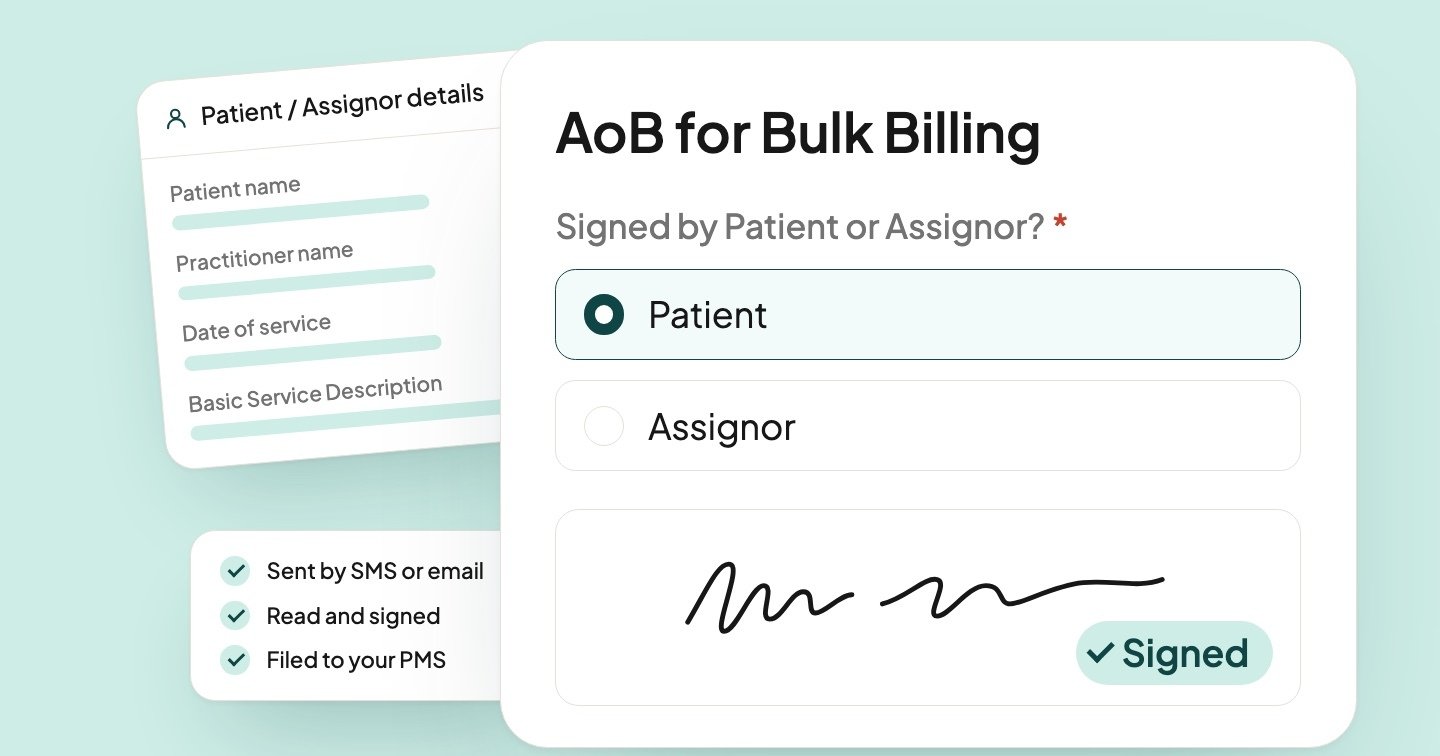
Send your Medicare assignment of benefit form digitally to your patients. With Coflow, they read it and sign on their phone or computer before their appointment, with no app and no login.

Coflow fills in the patient, practitioner and date of service from each booking, so every bulk-billed service gets its own signed agreement. The signed form is waiting for you on the task, and writes back to your practice management system.

Stored in Australia
No patient app or login
Collect e-signatures
Writes back to your PMS

Try the digital assignment of benefit form

Coflow forms are flexible and mobile responsive. Patients fill it in on any phone or computer, with no app and no login.

Medicare-AoB-Agreement-Template.pdfPage 1 of 2Download
Page 1 of the PDF
Page 2 of the PDF

AoB for Bulk Billing

Preview only, with a made-up practice, patient and appointment. Nothing you choose or sign is saved or sent.

Filled by your practice

Step 1 of 2

Patient / Assignor details

Please complete this form to assign payment of your Medicare benefit to your practitioner. This form must be completed before your appointment.

Patient name: Sam Citizen

Practitioner name: Dr Alex Harbour

Practice address: Suite 4, 12 Wharf Road, Sydney NSW 2000

Date of service: Tue 9 Feb 2027, 10:30 am

Basic Service Description: MBS #105 - Specialist - Short Consult

Signed by Patient or Assignor?
Signature
Sign here

Send it digitally

Patients read and sign on their phone or computer before their appointment, with no app or login. Coflow sends a reminder if they don’t finish, and files the signed agreement into your PMS.

  • Collect e-signatures
  • Automatic reminders
  • Writes back to your PMS
Book a demo

We’ll show you the form in Coflow and set it up with you.

Start with the free PDF

We’ll email you the printable assignment of benefit form and a one-page guide for your front desk, plus a few ideas for moving your forms online when you’re ready.

How to use it: read the full guideWhat changed on 1 July 2026, what your form must include, pre- or post-agreement, and how long to keep each signed agreement.

Read the guide


Form title

Writes back to
  • Gentu
  • MediRecords
  • Halaxy
  • and more: Nookal and Cliniko

Ready to send your forms digitally?

Book a demo and we’ll show you how Coflow sends forms by SMS or email, collects e-signatures and files answers into your practice management software.